To determine whether a recall notice applies to your household product, compare the identifiers on the actual item with every applicability field in the official notice. Record a match, a specific non-match, or an unresolved question. A familiar photograph or an empty search result cannot certify a product as safe.
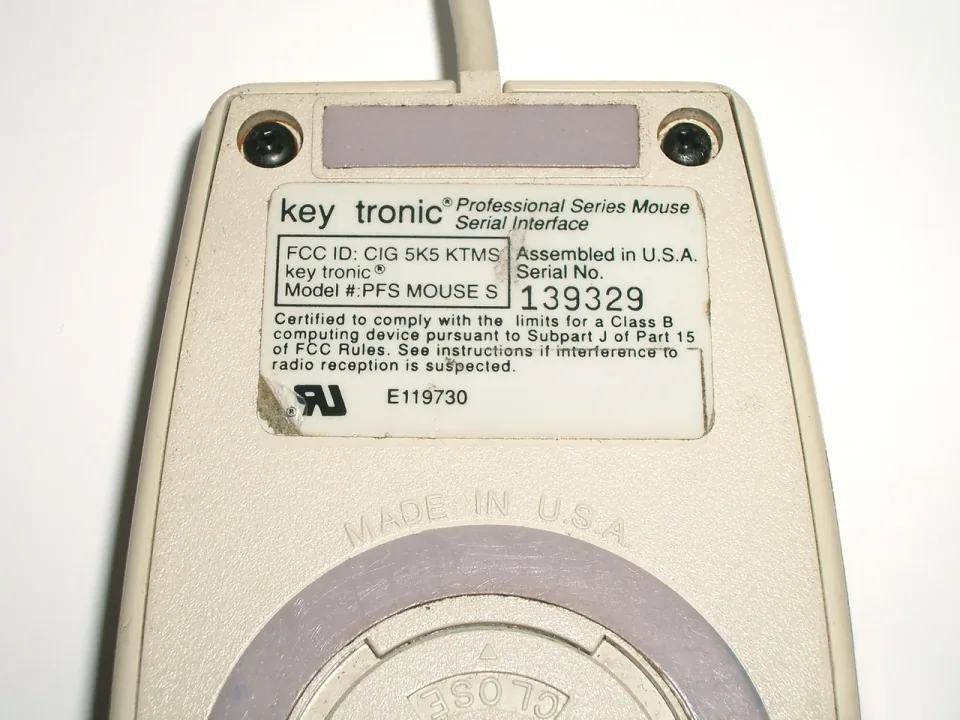
The underside of an older computer mouse shows separate model and serial identifiers. This identification example does not imply that this product has been recalled. Photo: Daniel beardsmore / Wikimedia Commons. Public domain dedication by author. Public domain dedication by author
Make a product identification card
Choose one product. Copy the brand and complete model identifier from its external label, including letters, suffixes, and punctuation. Record a serial number, date code, or batch only when the notice or manufacturer asks for that field. Keep personal purchase information out of any public example.
Inspect only what is safely accessible. Do not move an installed appliance, overturn a heavy item, or approach a visibly hazardous product to expose its label. Use the manufacturer’s identification guidance or seek assistance when the label cannot be checked safely.
Add a photograph of the label to your private record if you can obtain it safely. Treat packaging, a receipt, or a product listing as supporting information. If the box may belong to a different item, it cannot silently stand in for the missing product identifier.
Open the individual official notice
For US consumer products within its remit, start with the Consumer Product Safety Commission’s recall and product-safety-warning search. Search the brand and full model, then open the relevant notice rather than relying on a search snippet. Save the notice URL and the date you checked it. 1
Read the product description, affected identifiers, immediate instructions, remedy, and official contact route. If the notice includes date ranges or specific variants, make a separate comparison line for each. “Same brand” should never become shorthand for “Included.”
Use this compact record: field requested by notice; value on your product; value or range in notice; match, non-match, or unreadable. Keep blank fields visibly unresolved. This structure also makes a manufacturer inquiry more precise if you need help.
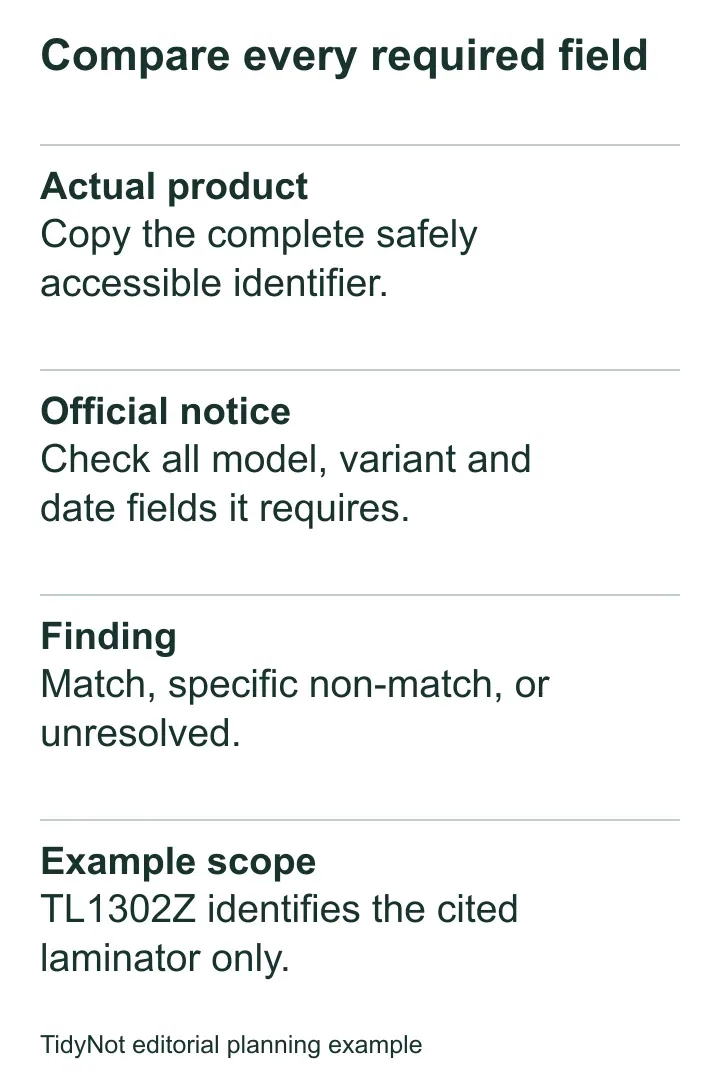
Compare every required field. Editorial planning example; not a photograph, product test or measured result.
Use the model number rather than the resemblance
For example, the CPSC notice dated October 15, 2026 names Scotch Thermal Laminator model TL1302Z and identifies the bottom sticker and packaging as model-number locations. That is a concrete identifier to compare, not permission to classify every Scotch laminator by appearance. 2
If your safely inspected label matches all applicable fields, record “Matches this notice.” If an identifier clearly differs, write the exact difference and “Not matched by these checked identifiers.” If a necessary field is unreadable or contradictory, write “Unresolved” and name the official contact that can clarify it.
A search that returns nothing should be recorded as “No matching notice found in this search on this date.” Keep the search terms with it. Do not replace that narrow result with “No recalls” or “Safe to use.”
Keep the remedy as a separate task
If the product matches, follow that notice’s immediate instructions and its official remedy process. In the cited laminator example, CPSC instructs owners of the recalled model to stop using and unplug it, then contact 3M for the specified refund process. Do not apply its later evidence or disposal steps to a different product. 2
Record the next action, who will handle it, and any response still awaited. “Recall identified,” “Remedy requested,” and “Remedy received” are different states. Finding a notice does not mean a refund, repair, replacement, or required disposal is finished.
Reopen the official notice before acting on saved instructions. CPSC warns that remedy information can change daily. Keep your comparison card dated so someone revisiting it understands what was checked and when. 1
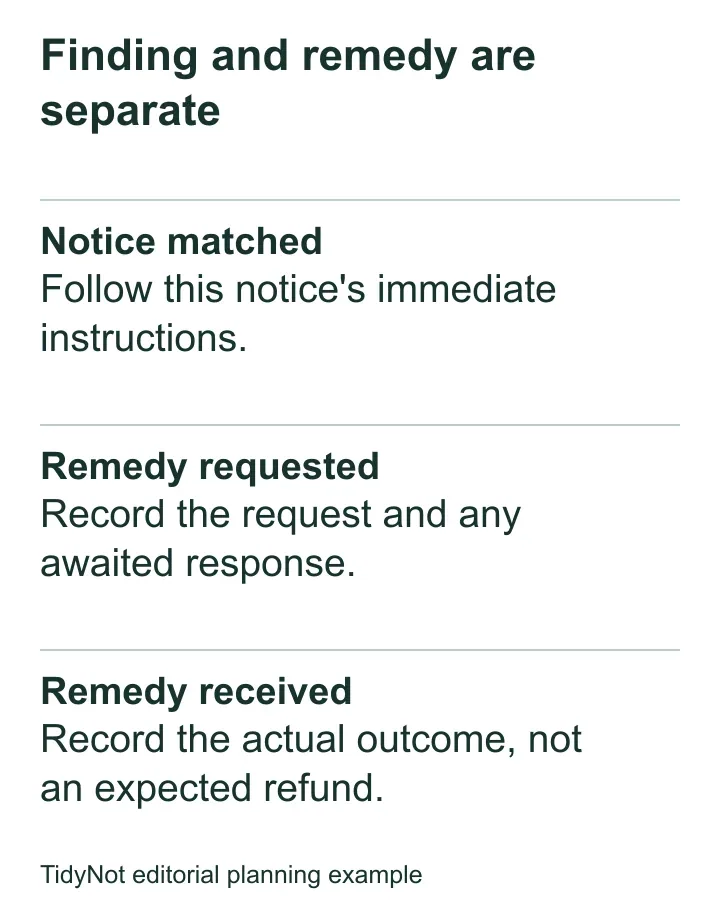
Finding and remedy are separate. Editorial planning example; not a photograph, product test or measured result.
Final check
- Copy the complete product identifier safely.
- Open and save the individual official notice.
- Compare every field that determines inclusion.
- Record the finding separately from the remedy status.
When this task is done
The check is complete when the card contains the exact identifiers, a dated official source, a supported finding, and a next action for any uncertainty or recall remedy. An unresolved identifier remains unresolved; it must not be relabeled safe for convenience.
Sources and limits
The step sequence, record fields, example entries, and completion tests are editorial applications of the cited guidance, not results of product testing or an evaluated organizing intervention.
- CPSC: Recalls & Product Safety Warnings. Source-package check: 2026-10-22. Official recall and product-safety-warning search; remedy information can change. Limits: A no-result search is not a safety certification.
- CPSC: Scotch Thermal Laminator TL1302Z recall. Source-package check: 2026-10-22. October 15, 2026 recall identifies Scotch laminator TL1302Z and its label location. Limits: Applies only to this model; the official URL uses /2027/ despite the stated 2026 notice date.
Evidence and scope
1. CPSC: Recalls & Product Safety Warnings
Claim covered: For US consumer products within its remit, start with the Consumer Product Safety Commission’s recall and product-safety-warning search. Search the brand and full model, then open the relevant notice rather than relying on a search snippet. Save the notice URL and the date you checked it. 1
CPSC search-page update note; individual TL1302Z notice description, date, immediate instructions and refund scope
CPSC: Recalls & Product Safety Warnings. English edition; jurisdiction limited to cited guidance. Checked: .
US CPSC scope. No user product match or actual remedy performed.
2. CPSC: Scotch Thermal Laminator TL1302Z recall
Claim covered: For example, the CPSC notice dated October 15, 2026 names Scotch Thermal Laminator model TL1302Z and identifies the bottom sticker and packaging as model-number locations. That is a concrete identifier to compare, not permission to classify every Scotch laminator by appearance. 2
CPSC search-page update note; individual TL1302Z notice description, date, immediate instructions and refund scope
CPSC: Scotch Thermal Laminator TL1302Z recall. English edition; jurisdiction limited to cited guidance. Checked: .
US CPSC scope. No user product match or actual remedy performed.
3. CPSC: Scotch Thermal Laminator TL1302Z recall
Claim covered: If the product matches, follow that notice’s immediate instructions and its official remedy process. In the cited laminator example, CPSC instructs owners of the recalled model to stop using and unplug it, then contact 3M for the specified refund process. Do not apply its later evidence or disposal steps to a different product. 2
CPSC search-page update note; individual TL1302Z notice description, date, immediate instructions and refund scope
CPSC: Scotch Thermal Laminator TL1302Z recall. English edition; jurisdiction limited to cited guidance. Checked: .
US CPSC scope. No user product match or actual remedy performed.
4. CPSC: Recalls & Product Safety Warnings
Claim covered: Reopen the official notice before acting on saved instructions. CPSC warns that remedy information can change daily. Keep your comparison card dated so someone revisiting it understands what was checked and when. 1
CPSC search-page update note; individual TL1302Z notice description, date, immediate instructions and refund scope
CPSC: Recalls & Product Safety Warnings. English edition; jurisdiction limited to cited guidance. Checked: .
US CPSC scope. No user product match or actual remedy performed.
5. Editorial application
Claim covered: To determine whether a recall notice applies to your household product, compare the identifiers on the actual item with every applicability field in the official notice. Record a match, a specific non-match, or an unresolved question. A familiar photograph or an empty search result cannot certify a product as safe.
The step sequence, record fields, example entries, and completion tests are editorial applications of the cited guidance, not results of product testing or an evaluated organizing intervention.
TidyNot editorial suggestion. English edition. Checked: .
Do not move an installed or hazardous product merely to expose its label; use the manufacturer’s identification guidance or seek assistance. Do not generalize one recall’s destruction, refund or disposal instructions to another product. The 3M example is an identification example dated October 15, 2026, not a claim that the reader owns a recalled item.