Before sharing an event signup form, test three routes in a safe test copy or supported test mode: a missing required answer, an unusable entry and a valid response. Record the expected result, what actually happened and whether a fix passed a retest. Stop short of live payments, real registrations, occupied seats or external notifications.
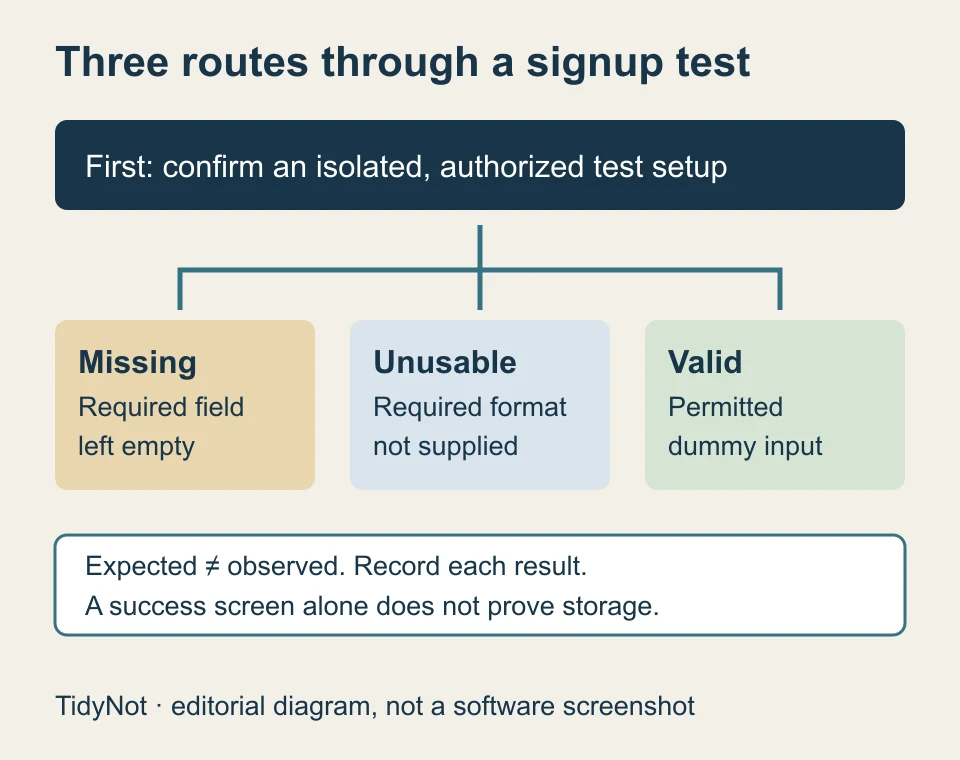
Establish a genuinely safe test space
Use a private duplicate or the provider’s documented test mode that you are authorized to operate. Check whether submission can send email, reserve capacity, charge money, add people to another system or trigger a workflow. A form labeled “preview” is not enough evidence that these effects are disabled.
Use invented names and non-deliverable placeholder data only where the test environment explicitly supports them. If the process requires a working address, use an authorized test inbox rather than a stranger’s address. Do not put real attendee information into the test.
If you cannot establish a safe route, inspect the visible form and record “submission path not tested.” Ask the form owner or provider how testing should be done. Do not discover the consequences by pressing Submit on the live event.
Write what the form is meant to collect
List each field, why the event needs it and whether it should be required or optional. Compare that list with the label and setting on the form. A field can say “optional” while being configured as required; the test should catch the mismatch.
GOV.UK’s validation guidance distinguishes missing required information from entries the service cannot use. It recommends telling people what went wrong and how to correct it, while retaining their entered information where possible. Apply those user-facing principles without copying platform-specific implementation instructions. 1
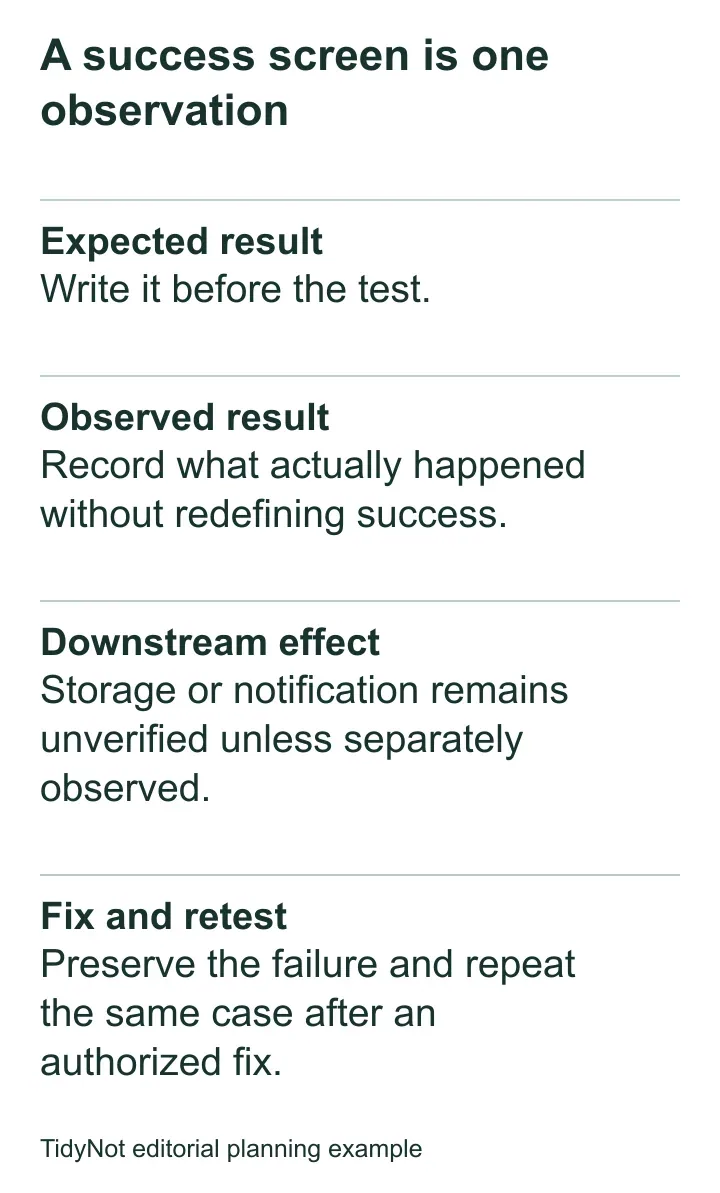
Make a compact test record with fields for case ID, input, expected result, observed result, evidence and status. Write expectations before trying the case so an unexpected result does not quietly become the definition of success.
Try the missing-answer and wrong-format routes
For the first case, complete the necessary dummy fields but leave one required field blank. Continue using the normal form control. Check whether the form identifies the field, explains what is needed and lets you correct it without losing other answers.
For the second case, use an unmistakably unusable value for a field that genuinely has a format requirement. If an email field is required, a simple string without an address structure may be appropriate in the safe test. Do not use unusual names or unfamiliar address formats as “invalid” merely because they look different from your own.
Correct the entry and continue. Record the wording and behavior you observed, including whether the form still blocks progress after the correction. If several fields have different rules, add cases for those rules rather than assuming one working error proves every field works.
Follow a valid test response to its stated endpoint
Complete the form with valid dummy answers and inspect the end screen. Does it say the person is registered, waitlisted or awaiting approval? Compare that wording with the event’s actual process. “Request received” and “place confirmed” are different states.
GOV.UK’s confirmation-page guidance includes what happens next, when it happens, a contact route and a way to keep a record. These are useful content checks for a signup confirmation, but the screen alone does not prove that a record was saved or an email arrived. 2
Where the safe test environment supports it, verify the test response in its test records and inspect any test-only notification. If either check is unavailable, label it unverified. Do not count a successful screen as proof of an unobserved downstream process.
Fix, retest and separate test records
Correct issues you are authorized to change, then repeat the exact failing case. Record the new result without deleting the original failure. Check the valid route again after a change that could affect submission.
Keep test entries separate from attendee counts. Remove or archive them only through the authorized process, and verify the public form points to the intended event rather than the test copy before release. This check is narrower than a security or accessibility audit; it establishes what these specific cases did.
A simple check sheet
Test case | Expected check | Record after testing |
|---|---|---|
Required answer missing | Identify the field and explain the correction | Actual wording and retained answers |
Unusable format | Explain what the field accepts | Result after correcting the entry |
Valid dummy response | Describe the actual registration state | Screen, test record and test notification checked separately |
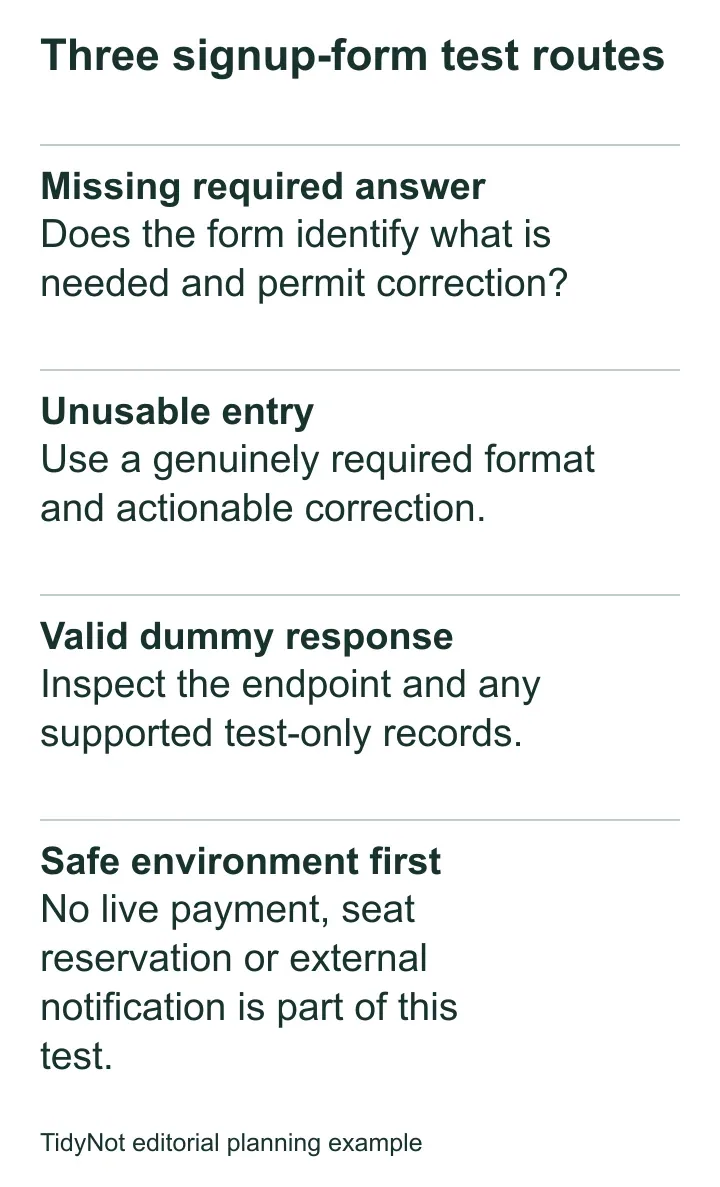
A safe event-form test setup, in plain language
For this editorial checklist, a safe setup is a documented test mode or private duplicate with test-only records and verified side-effect settings. Record the following before submitting:
- Which form and environment you are testing
- Where a test response will be stored
- Whether email is disabled or restricted to an authorized test inbox
- Whether seat counts, live registrations, payments and integrations remain unaffected
For example, a form owner might provide a private test copy and a separate test-response list. That is a hypothetical setup, not a claim that a particular form provider isolates these effects automatically. If any downstream effect is unknown, inspect without submitting and record that gap.
Event signup testing: quick answers
Which three routes should I test?
Try a missing required answer, a genuinely unusable format, and a valid dummy response in the established safe environment. Record expected and observed outcomes separately.
Does a confirmation screen prove registration or email delivery?
No. Compare its wording with the actual event state, then check test records and test notifications separately where supported. Mark unavailable checks unverified.
Final check
- Confirm that the test cannot create live side effects.
- Match each required field to a real event need.
- Run and record missing, unusable and valid input cases.
- Check confirmation wording against the actual registration state.
- Retest fixes and exclude dummy entries from attendee records.
When this task is done
The three core routes have recorded outcomes, fixes have been retested, and unverified or unresolved behavior is explicit. A safe draft inspection is not mislabeled as a completed submission test.
Try it with your own information
Download a form test record
Write expectations before testing and preserve failures alongside their retests.
An invented worked example
Use this scenario to see how the decisions fit together, then replace its details with your own observations.
Fictional case M01: leave one required email field empty in an authorized isolated test copy. Expected: identify the missing field and retain the other answers.
Observed result: leave blank until the test is run. A proposed test case must not already say “passed”.
For the valid route, record confirmation wording, test-record storage and permitted test-notification separately. One visible success message cannot verify all three.
Before testing, agree on a recognizable test marker such as TEST-M01 in a field that permits it; do not change the format of the field being tested. Record the resulting test-record ID. Reconcile only those known test records through the authorized archive or removal process, and recheck the real attendee count. A TEST label does not isolate live side effects.
No account needed. Open the worksheet, enter your own notes, then download a text copy. You can also download it blank to complete elsewhere.
Open and download your worksheet
Sources
- Recover from validation errors. Checked 2026-10-22. GOV.UK describes validation for unusable or missing required input, actionable error messages and preserving entered information. Design-system guidance is not documentation of every form provider. Its HTML and server implementation instructions are not generalized here.
- Confirmation pages. Checked 2026-10-22. GOV.UK recommends confirmation content covering next steps, timing, contact information and retaining a record. A confirmation page is not independent evidence of storage or delivery, and the wider event process can remain incomplete.
Evidence and scope
1. design-system.service.gov.uk — editor-verified original source
Claim covered: GOV.UK’s validation guidance distinguishes missing required information from entries the service cannot use. It recommends telling people what went wrong and how to correct it, while retaining their entered information where possible. Apply those user-facing principles without copying platform-specific implementation instructions. 1
Unusable, ambiguous and missing required information are validation cases. Framework-specific HTML implementation advice is not generalized to every form platform.
design-system.service.gov.uk — editor-verified original source. Use only the locale/version and evidence scope stated in the manuscript and source notes.. Checked: .
2. design-system.service.gov.uk — editor-verified original source
Claim covered: GOV.UK’s confirmation-page guidance includes what happens next, when it happens, a contact route and a way to keep a record. These are useful content checks for a signup confirmation, but the screen alone does not prove that a record was saved or an email arrived. 2
Confirmation content covers next steps/timing, contact and a way to save a record. The page does not prove independent downstream storage or delivery.
design-system.service.gov.uk — editor-verified original source. Use only the locale/version and evidence scope stated in the manuscript and source notes.. Checked: .
3. design-system.service.gov.uk — editor-verified original source
Claim covered: Recover from validation errors. Checked 2026-10-22. GOV.UK describes validation for unusable or missing required input, actionable error messages and preserving entered information. Design-system guidance is not documentation of every form provider. Its HTML and server implementation instructions are not generalized here.
Unusable, ambiguous and missing required information are validation cases. Framework-specific HTML implementation advice is not generalized to every form platform.
design-system.service.gov.uk — editor-verified original source. Use only the locale/version and evidence scope stated in the manuscript and source notes.. Checked: .
4. design-system.service.gov.uk — editor-verified original source
Claim covered: Confirmation pages. Checked 2026-10-22. GOV.UK recommends confirmation content covering next steps, timing, contact information and retaining a record. A confirmation page is not independent evidence of storage or delivery, and the wider event process can remain incomplete.
Confirmation content covers next steps/timing, contact and a way to save a record. The page does not prove independent downstream storage or delivery.
design-system.service.gov.uk — editor-verified original source. Use only the locale/version and evidence scope stated in the manuscript and source notes.. Checked: .
5. Editorial application
Claim covered: TidyNot practical checklist, examples and step sequence.
Practical editorial suggestions distinguished from sourced factual claims.
TidyNot editorial suggestion. General readers within the manuscript stated scope.. Checked: .
No personal test, measured benefit, provider implementation or safety guarantee is claimed.