AI-generated editorial illustration; not a photograph of an actual event.
Choose a precise starting point
“Finish the handout” covers several kinds of work. “Begin final page layout” gives you a clearer question: what does that stage need? A rough sketch might be possible before the wording is final, while the final layout still needs to wait. One blocked stage does not automatically stop the whole project.
In its task-dependency guide, Atlassian distinguishes prerequisites from the smaller tasks that make up a larger task.1 Use that distinction to examine your list, rather than copying a software workflow.
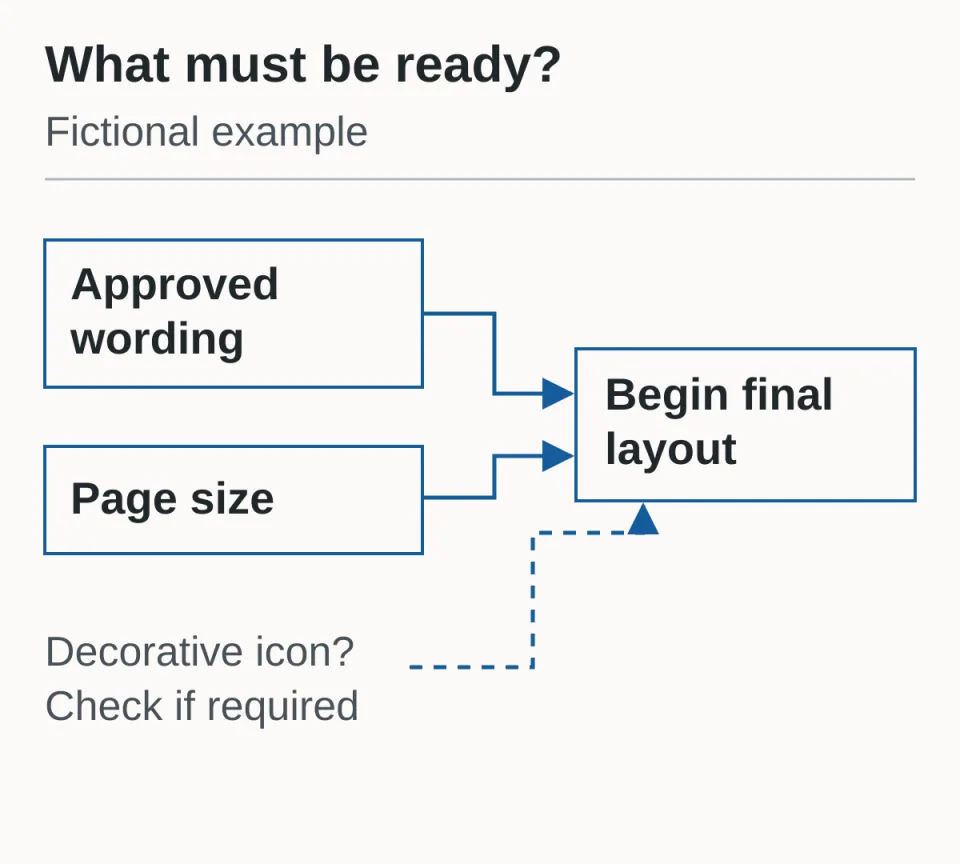
Confirmed inputs and unanswered questions use different lines. Fictional handout example.
Write the evidence you need
Replace “content done” with something you can check: a named version of a document, an answered question, or a decision from the person who has authority to make it. Do not invent an approval step if the work does not require one. The condition should explain why this task is waiting.
Next, ask what would happen if you began now. Would the work be unusable, would it need revision, or would you merely be working in a different order? These answers help separate a necessary input from an assumption. A possible revision may still matter, but it deserves its own description.
Item | Relationship in this example | Status and next check |
|---|---|---|
Approved wording | Required input for final layout | Missing: ask which version is ready. |
Page dimensions | Required input | Confirmed: use the size in the brief. |
Decorative icon | Possible preference | Unclear: ask whether a placeholder is acceptable. |
Place the text | Work inside the layout task | Keep it in the task checklist. |
Friday review | Calendar restriction | Record the review date separately. |
Fictional example. The classification depends on where you draw the task boundary.
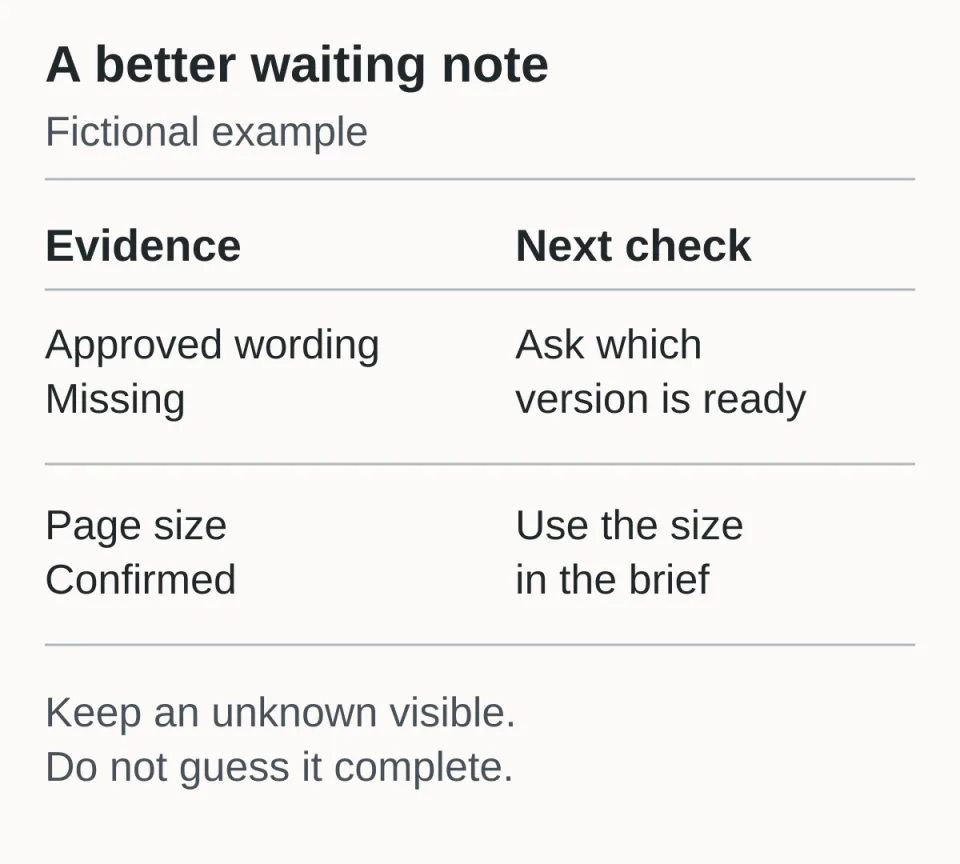
A waiting note should identify the evidence and the next check. Fictional worksheet.
Check the link, not only the date
Microsoft’s task-link guidance describes several dependency types and separates relationships between tasks from restrictions on dates.2 A finish-to-start relationship is useful when one task really must finish before another begins. It is not a rule for every pair of tasks.
Likewise, putting a review on Friday does not establish that the inputs will be ready on Thursday. Keep the event and the input status in separate fields. If several inputs are required, check each one. One finished input is not evidence that the others are complete.
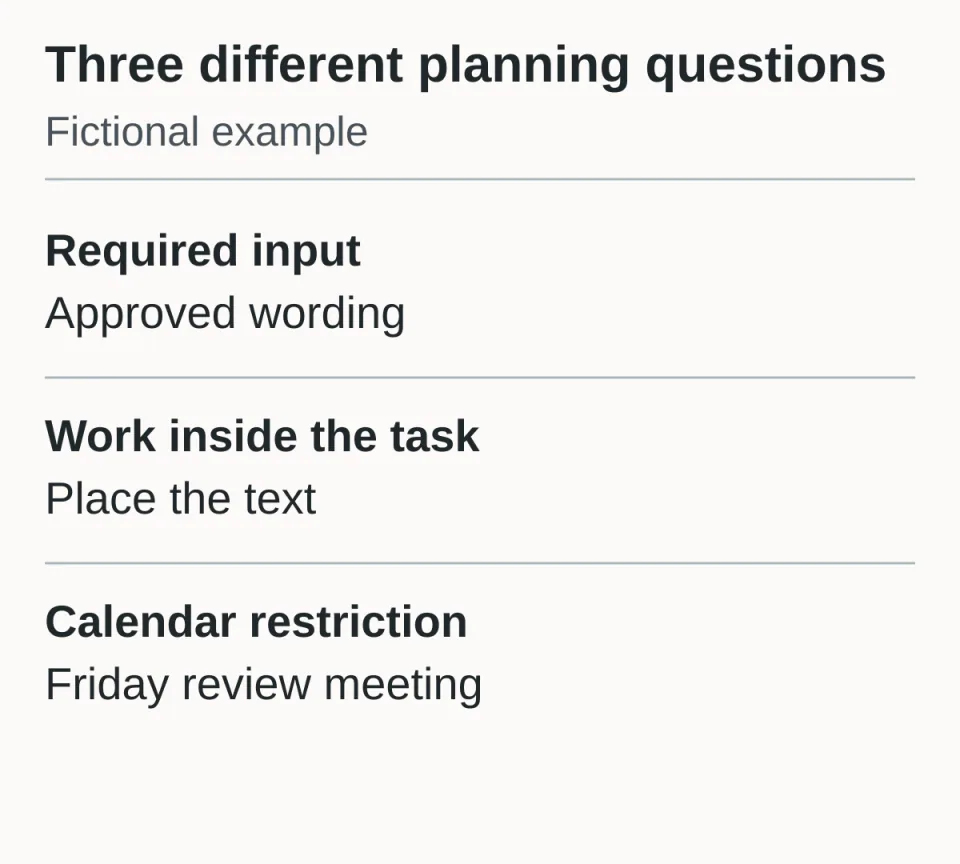
Inputs, internal work, and calendar restrictions answer different planning questions.
Choose one next check
For a missing input, write the question that would resolve the wait and identify the person who can answer it. If ownership is unknown, leave that visible. For a met condition, update the status of this stage. If no required blocker remains, choose a first action instead of adding another prerequisite.
Try this on one delayed task: “This stage can begin when ___. I will verify that by ___.” You do not need a complete dependency map to make one waiting item more specific. This worksheet is an editorial planning aid, not a tested promise of faster delivery.
Test whether the input really blocks this stage
Constructed example: a room guide needs a final venue address before release. A rough layout can use a clearly marked placeholder.
| Situation | Decision and next step |
|---|---|
| Final address before making a rough layout | Usually not the stated blocker in this example: draft the layout with an unmistakable placeholder and keep release blocked. |
| Final address before sending the guide to guests | A required input for release. Name who can confirm it and when to check again; do not send an invented address. |
| Preferred cover colour before verifying the address | A preference does not supply the missing location. Work on it only if useful, without reporting the release dependency as resolved. |
Fill in the exact next stage, required input, why that stage needs it, resolver and next check. “Waiting until Friday” names a date; it does not identify the input that Friday will provide.
These are editorial examples, not reported experiences or tested outcomes.
Sources and reading scope
Checked October 25, 2026, Asia/Seoul (October 24 UTC).
- Atlassian, “Create and manage task dependencies.” Read the overview and prerequisite/subtask explanation; no board or automation tested.
- Microsoft, “Change a task link.” Read dependency types, multiple predecessors, and date-constraint distinction; no live schedule tested.
Evidence and scope
1. Create and manage task dependencies — Atlassian
Claim covered: In its task-dependency guide, Atlassian distinguishes prerequisites from the smaller tasks that make up a larger task.1 Use that distinction to examine your list, rather than copying a software workflow.
Prerequisites are distinguished from subtasks that form a larger task.
Create and manage task dependencies — Atlassian. English edition; source jurisdiction as stated. Checked: .
Conceptual guidance; no board, automation or actual schedule tested.
2. Editorial application
Claim covered: To find what is stopping a task from starting, name the exact piece of work you want to begin and the result it needs first. Write a visible start condition, such as “approved wording is in the shared document,” rather than “waiting on content.” Then check whether each listed item really blocks that stage, belongs inside it, or is simply a preference. Keep an unconfirmed relationship marked as a question.
TidyNot practical application, separated from the original source’s claims.
TidyNot editorial suggestion. English edition. Checked: .
Conceptual guidance; no board, automation or actual schedule tested.