
AI-generated editorial illustration; not a photograph of an actual event.
Choose one process with a clear finish
Take a small piece of work, such as preparing a one-page guide for guests. Start when the host requests the guide and finish when an approved version is ready to share. This is a proposed example, not an account of a process TidyNot has tested.
Write down the steps you currently know: request, draft, review, revision, and release. Resist adding every related task. The first sketch only needs enough detail to follow the work from its starting point to its intended result.
Give each responsible role a lane
A lane is simply a row or column assigned to a role. Microsoft’s cross-functional flowchart guidance places each process step in the lane of the department or role responsible for it.2 You can borrow that arrangement on paper without using Visio.
For the guest-guide example, draw lanes for Host, Writer, and Reviewer. Place each known step in its lane. If you cannot identify the responsible role, mark it as unconfirmed. A blank is more informative than an owner you have guessed.
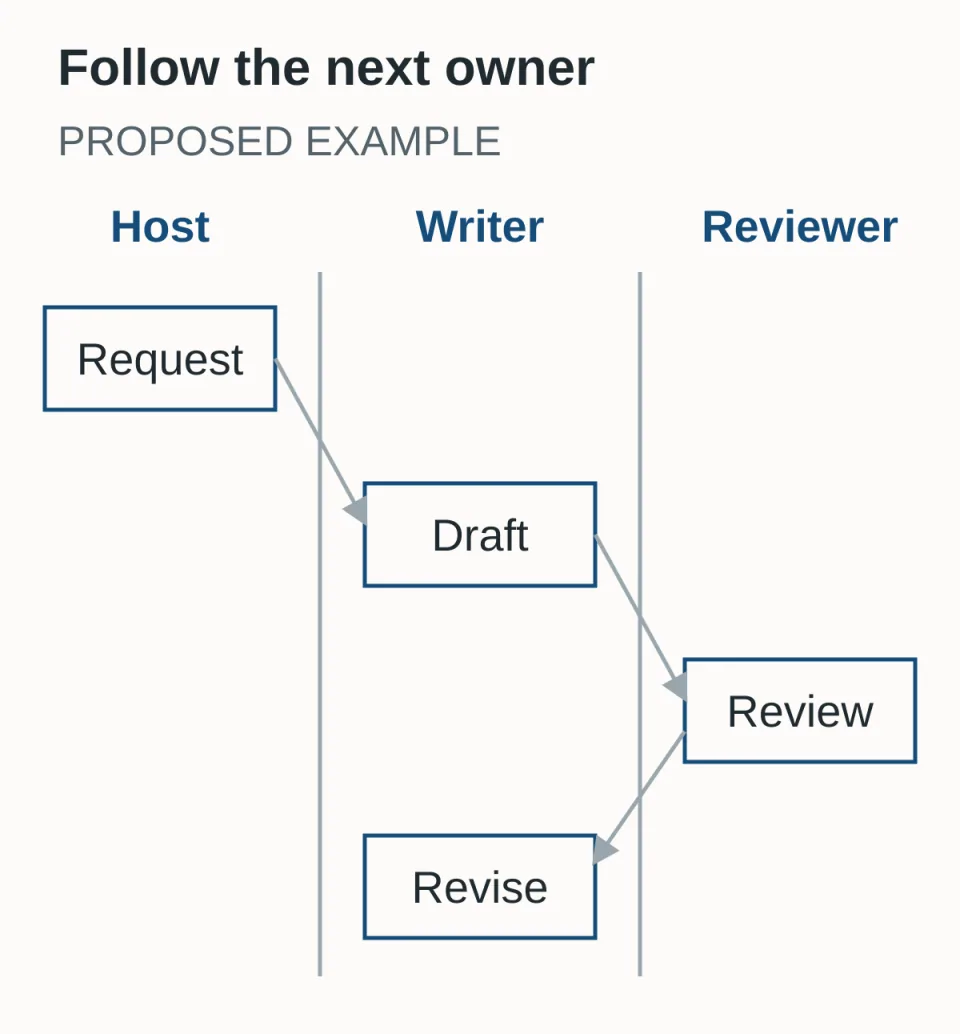
Lanes show the role responsible for each step. Proposed workflow.
Inspect the arrow between people
A box marked “Draft complete” says something about the writer’s work. It does not tell you where the draft goes next. Label the connecting arrow with the output, such as “editable guide link,” rather than a vague instruction like “send it.”
Then ask what makes that output ready to receive. Is there a message, a task status, or an agreed folder? These details are proposals until the people involved confirm them. A ready signal is also different from evidence that someone has read or accepted the work.
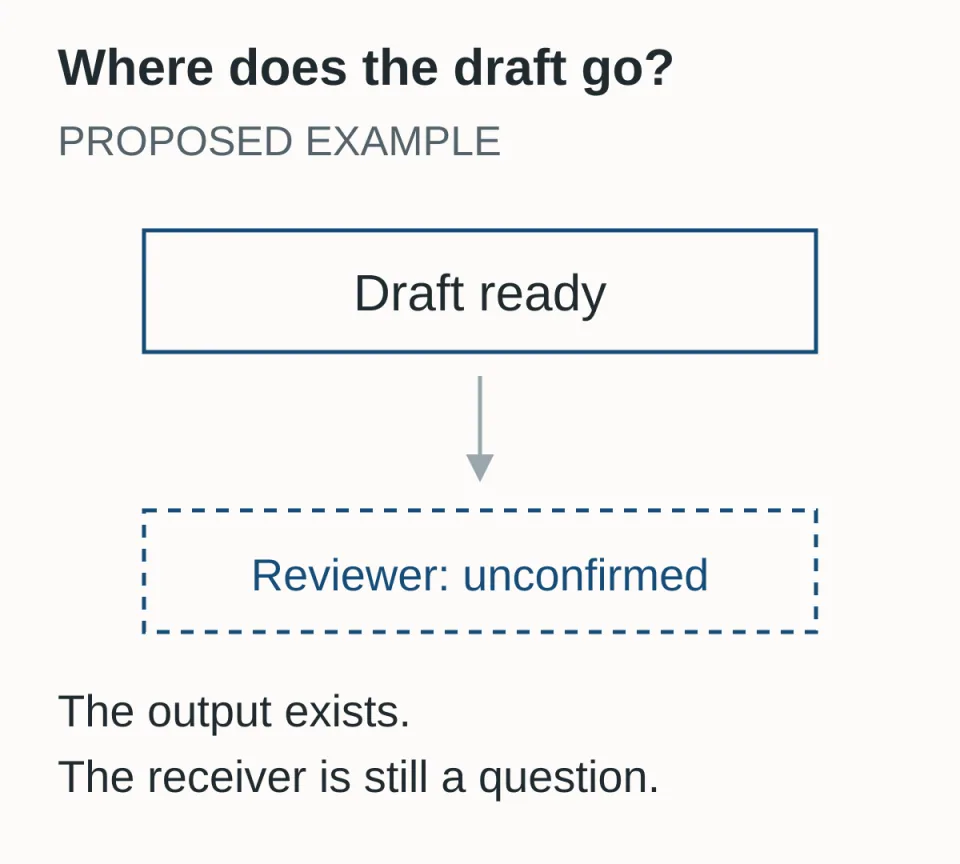
A finished draft still needs a confirmed destination. Proposed example.
Put the uncertain handoffs in a table
Use the sketch to find gaps, then keep the questions beside the handoffs. This filled example shows the kind of detail to capture; it does not assign these responsibilities to anyone.
Proposed handoffs in a fictional guest-guide workflow
Current role | Output and next role | Proposed signal / open question |
|---|---|---|
Host | Brief → Writer | Brief linked in the task. Who checks missing venue facts? |
Writer | Editable guide → Reviewer | Ready-for-review note. Which reviewer owns this pass? |
Reviewer | Comments or approval → Writer | Review outcome recorded. Which comments block approval? |
Writer | Updated guide → Reviewer | Revised version linked. Is another review needed? |
Agreed publisher | Approved file → Host | Approved version identified. Who may release it? |
On a narrow screen, scroll the table horizontally.
Walk through the picture before trusting it
Follow one ordinary item from beginning to end with the people who do the work. Ask whether the diagram matches current practice. Check where an incomplete brief goes, what happens when a review asks for changes, and who notices when a handoff is waiting.
Do not quietly turn an assumption in the sketch into a new assignment. If responsibility needs to change, discuss that change separately. The diagram makes a question visible; the people involved still need to resolve it.
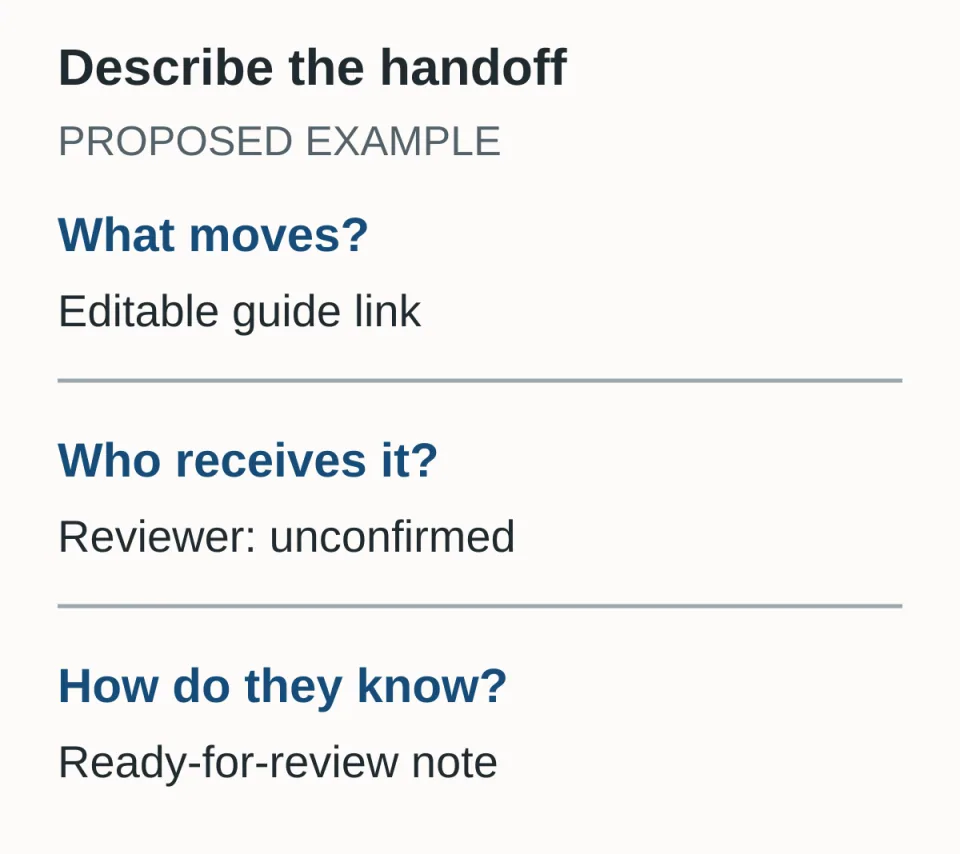
Check the output, receiver, and ready signal with the people involved.
Keep the picture small enough to use
The publisher’s introduction to Dan Roam’s The Back of the Napkin presents simple drawing as a way to examine and communicate a problem.1 Here, the useful picture is the smallest one that shows the work, its next owner, and the unresolved handoff.
You do not need to redraw every detail neatly before asking the question. Leave an unconfirmed recipient visibly unconfirmed, take the sketch to the relevant people, and update it after the conversation. A finished-looking diagram is not proof that the handoff works. A clear diagram with one honest question can be a better place to begin.
Source notes
- Dan Roam, The Back of the Napkin, expanded edition, Portfolio. Read: publisher Book Description and format dates only; full book not read. Visual-thinking framing, not a measured performance result. Checked 24 October 2026 UTC / 25 October KST.
- Microsoft Support, Create a cross-functional flowchart. Read: introductory explanation of functional units and swimlanes, plus product availability notes. No update date displayed. This article borrows the representation, not a product workflow; no software trial performed. Checked 24 October 2026 UTC / 25 October KST.
All diagrams are original editorial SVG illustrations. Examples are fictional where marked. No use test, outcome measurement, or venue assessment is implied.
Evidence and scope
1. Create a cross-functional flowchart — Microsoft
Claim covered: A lane is simply a row or column assigned to a role. Microsoft’s cross-functional flowchart guidance places each process step in the lane of the department or role responsible for it.2 You can borrow that arrangement on paper without using Visio.
Swimlanes represent functional units; a process step belongs to the lane responsible for it.
Create a cross-functional flowchart — Microsoft. English edition; source jurisdiction as stated. Checked: .
Representation guidance only; no software workflow or measured benefit tested.
2. Editorial application
Claim covered: To find a missing handoff, draw the steps in separate lanes for the people or roles responsible for them. Follow each arrow that crosses from one lane to another. Can you name what is being passed, who receives it, and how they know it is ready? If not, mark that gap before adding more steps.
TidyNot practical application, separated from the original source’s claims.
TidyNot editorial suggestion. English edition. Checked: .
Representation guidance only; no software workflow or measured benefit tested.